MOST RECENT
Top Tips and Tricks for Getting the Most Out of Your Samsung Galaxy Z Flip
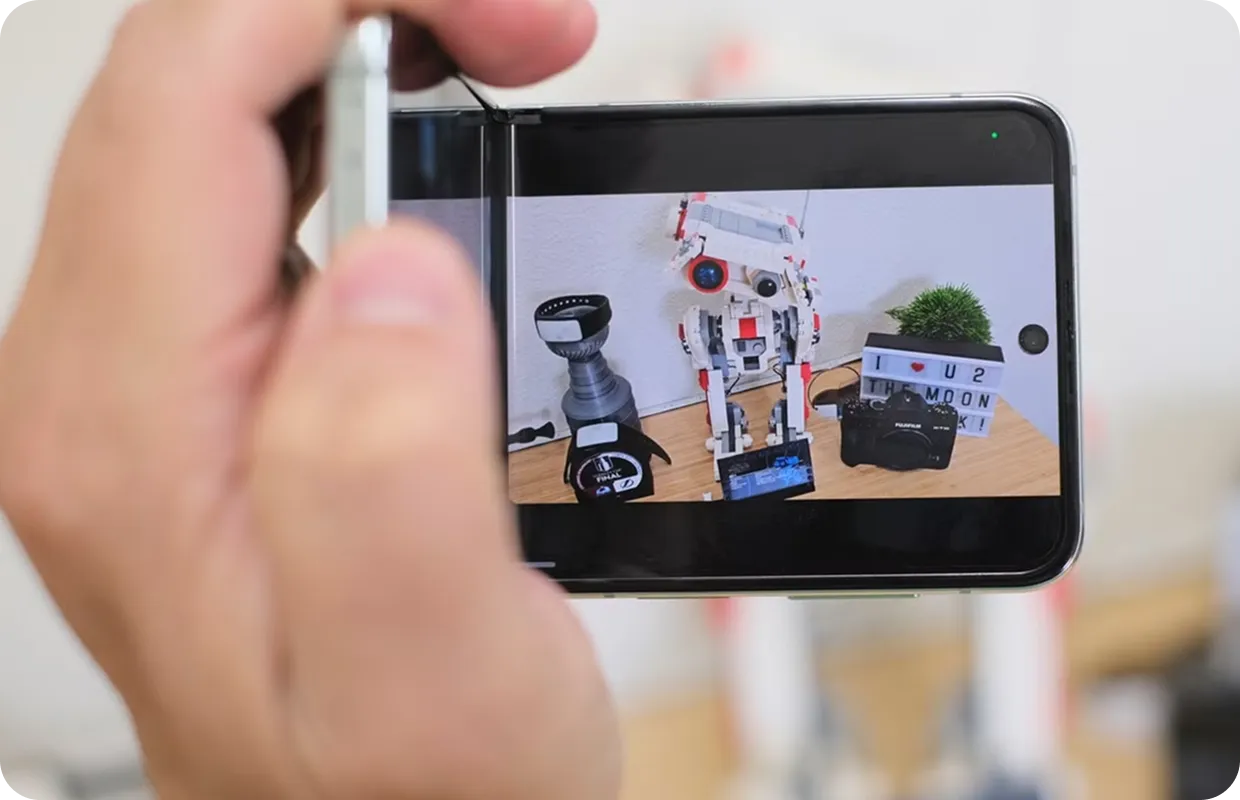
The Samsung Galaxy Z Flip has quickly become one of the most exciting devices on the market, combining futuristic foldable tech with a retro flip-phone feel. Its compact size, powerful features, and stylish design make it stand out from the sea of standard smartphones. But if you’re new to the Flip, you might not know just how much this device can really do.
To help you get the most out of your Samsung Flip, we’ve put together our best tips and tricks. Whether you’re an everyday user or a tech enthusiast, these suggestions will make your Flip more fun, functional, and efficient.
1. Take Advantage of Flex Mode
One of the most unique features of the Flip is Flex Mode. By partially folding your phone, the screen automatically splits into two sections. This makes it perfect for:
- Video calls without needing a stand.
- Hands-free selfies—just set the phone down and pose.
- Watching videos on the top half while controlling playback on the bottom.
Flex Mode essentially transforms your Flip into its own built-in tripod.
2. Customise the Cover Screen
When your phone is closed, the small cover screen becomes your window into quick updates. You can:
- Add widgets for weather, music, or calendar events.
- Check notifications without flipping open your phone.
- Even use it as a camera viewfinder for sharper selfies.
Customising this screen makes your Flip even more efficient and stylish.
3. Master Multi-Window Multitasking
Samsung’s software makes multitasking a breeze. You can run two apps side by side or even drag and drop files between them. Imagine checking emails while browsing the web, or watching YouTube while messaging a friend—all on the same screen.
To enable this, swipe in from the side to access the Edge Panel, then drag apps into split-screen mode.
4. Optimise Battery Life
Foldable phones can demand a lot from their batteries, but with a few tweaks, you can extend your Flip’s life:
- Lower screen brightness when indoors.
- Turn on power-saving mode when needed.
- Close unused apps running in the background.
- Use Samsung’s Adaptive Battery setting to learn your usage patterns.
And if your Flip’s battery isn’t lasting like it used to, remember that a simple battery replacement can bring it back to peak performance.
5. Get Creative with the Camera
The Flip’s cameras aren’t just about quality—they’re about creativity. Try these tricks:
- Hands-free selfies in Flex Mode: Perfect for group shots.
- Wide-angle mode: Capture more of the scene.
- Quick Shot: Double-tap the power button to open the camera instantly.
- Cover Screen Selfies: Use the outer screen as a viewfinder for sharper main-camera selfies.
These features make photography fun and versatile.
6. Use Gestures for Quick Navigation
Samsung has packed in gesture shortcuts that make using the Flip faster:
- Swipe down with two fingers to activate split-screen.
- Swipe up from the bottom for quick app switching.
- Use palm swipe to capture screenshots without buttons.
Learning these gestures saves time and makes your Flip feel even more intuitive.
7. Protect Your Flip with Care
Because the Flip is a foldable phone, it deserves a little extra protection. Here’s how to keep it safe:
- Invest in a quality case designed specifically for the Flip.
- Keep the hinge area clean from dust and debris.
- Avoid pressing too hard on the foldable screen.
And if something does go wrong—like a cracked screen or hinge issue—professional repair is available to get you back on track.
8. Explore Samsung DeX
Did you know your Flip can double as a desktop computer? With Samsung DeX, you can connect your phone to a monitor, keyboard, and mouse for a desktop-like experience. It’s great for productivity and makes your Flip even more versatile.
9. Keep Software Updated
Samsung frequently releases software updates to improve performance, fix bugs, and add new features. Keeping your Flip updated ensures you’re always getting the best experience—and helps extend the life of your device.
Final Word: Unlock the Full Potential of Your Flip
The Samsung Galaxy Z Flip isn’t just another smartphone—it’s a conversation starter, a productivity tool, and a creative powerhouse all in one. With the right tips and tricks, you’ll unlock everything this device has to offer and enjoy a smoother, more exciting user experience.
Need help keeping your Flip in top condition? Visit your nearest Pocket Geek Tech Repair store for expert repairs and advice to keep your device performing at its best.
MORE BLOGS