When you buy a new laptop, you expect it to serve you well for a few years. But what if you could stretch that lifespan much further? With the right care, regular maintenance, and timely repairs, a laptop can last as long as seven years—or even longer.
At Pocket Geek Tech Repair, we see laptops every day that people thought were on their last legs. With a little attention, those same devices often go on to perform smoothly for years to come. If you want to get the most out of your laptop investment, here’s what you need to know.
1. Why Laptop Lifespan Matters
For most people, a laptop is more than just a gadget. It’s the hub for work, study, entertainment, and communication. Replacing it every two or three years can be a huge expense, not to mention the hassle of transferring data and setting everything up again. Extending your laptop’s life means saving money, avoiding unnecessary stress, and cutting down on electronic waste.
2. The Biggest Laptop Lifespan Killers
Just like a car, your laptop needs care to keep it running. Here are the top culprits that shorten a laptop’s life:
- Dust and Overheating: Dust buildup inside your laptop restricts airflow, causing it to overheat and damage components.
- Battery Wear: Batteries naturally lose capacity over time, but neglecting them speeds up the process.
- Software Bloat: Too many apps, unused files, and lack of updates can slow performance to a crawl.
- Physical Damage: Drops, spills, and cracked screens are common but avoidable with the right protection.
3. Regular Maintenance Tips
Keeping your laptop healthy doesn’t have to be complicated. These simple habits can make a world of difference:
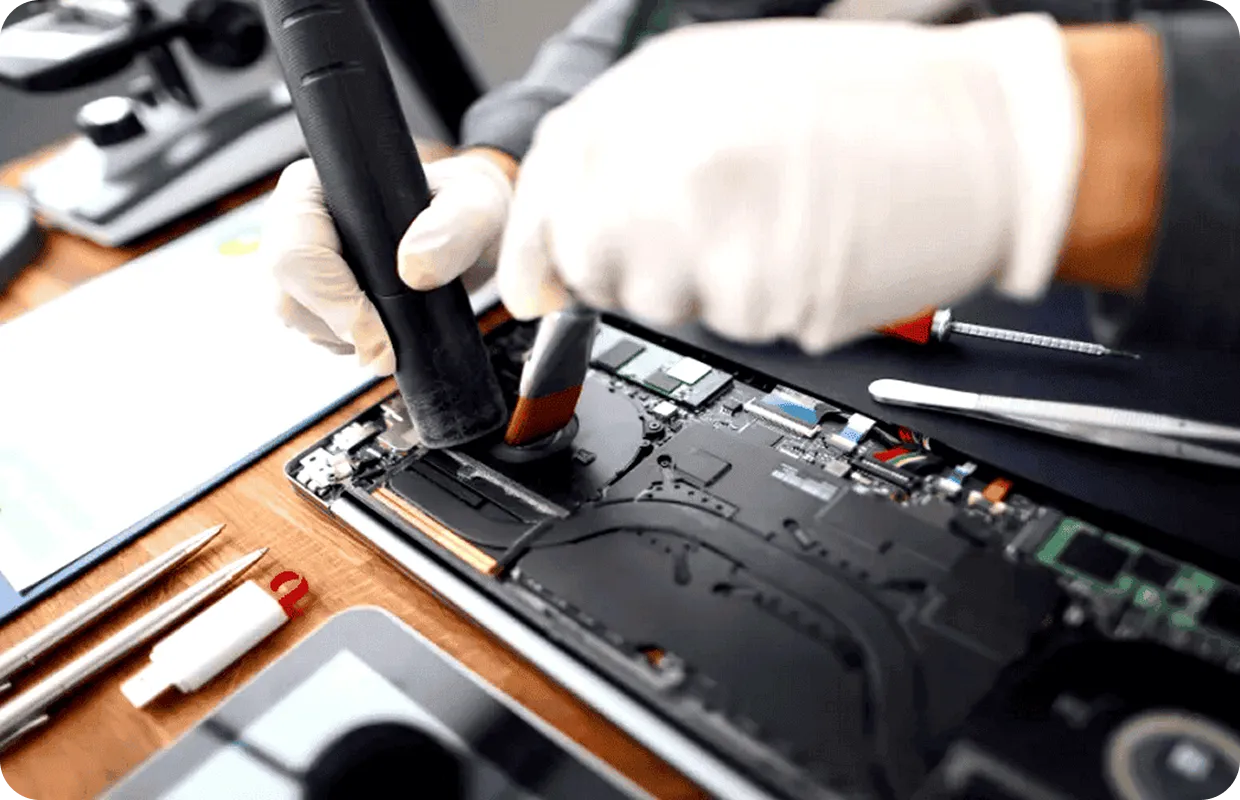
- Keep it Clean: Wipe down the keyboard and screen regularly. Every year or so, have the inside professionally cleaned to remove dust from fans and vents.
- Update Software: Install updates for your operating system and apps. These not only improve performance but also patch security vulnerabilities.
- Manage Storage: Delete unused files, uninstall apps you don’t need, and consider upgrading to a solid-state drive (SSD) if you haven’t already.
- Use a Cooling Pad: If you often use your laptop on soft surfaces like beds or sofas, invest in a cooling pad to prevent overheating.
- Protect the Battery: Don’t leave your laptop plugged in all the time. Letting the battery discharge and recharge periodically helps extend its life.
4. Repairs That Add Years to Your Laptop
Even with great care, components wear out over time. The key is to fix small problems before they turn into big ones. Some of the most common laptop repairs that add years of life include:
- Battery Replacement: A fresh battery can make an old laptop feel new again.
- Screen Repair or Replacement: Cracked or flickering screens can usually be repaired quickly.
- Keyboard Repair: Stuck or unresponsive keys are easy to replace.
- SSD Upgrades: Swapping out an old hard drive for an SSD dramatically improves speed and extends usability.
- RAM Upgrades: Adding more memory helps your laptop handle modern apps and multitasking.
5. Signs Your Laptop Needs Professional Help
Wondering if it’s time to bring your laptop in for a check-up? Watch out for these warning signs:
- The laptop feels hot even when you’re doing simple tasks.
- The battery drains unusually fast.
- Performance is sluggish despite having plenty of storage space.
- Strange noises (like fan grinding) come from inside the device.
- Cracks, loose hinges, or screen flickers are affecting usability.
Catching these issues early often means an inexpensive fix rather than a total replacement.
6. Repair vs. Replacement: When Is It Worth It?
There comes a point where repairs may cost more than the value of the device. But in most cases, especially within the first five to seven years, repairing is the smarter choice. It’s faster, cheaper, and helps keep your important files where they belong.
At Pocket Geek Tech Repair, we help customers weigh the costs and benefits. If your laptop can be revived with a simple repair, we’ll recommend that. If it’s truly beyond saving, we’ll give you honest advice on upgrading.
Final Word: Keep Your Laptop Alive for the Long Haul
Your laptop doesn’t have to be a short-term investment. With regular maintenance and timely repairs, you can stretch its lifespan to seven years or more. The secret is simple: don’t ignore problems and give your device the professional care it needs.
If your laptop is showing signs of slowing down, don’t wait until it’s too late. Visit your nearest Pocket Geek Tech Repair store and let us help you get the most out of your device.
Prefer to book an appointment? Book online now
Other blogs
Top Tips and Tricks for Getting the Most Out of Your Samsung Galaxy Z FlipiPhone vs Samsung: Why More People Are Switching for the FlipThe Ultimate Gaming Console Repair GuideBring Your Dead Devices Back to Life This HalloweenSave Money & Extend the Life of Your Gaming Console with Repairs